Published: 10 September 2026 | Last updated: 10 September 2026. Processing times and portal details reflect current 2026 guidelines per the Moroccan Ministry of Foreign Affairs .
To check your Morocco eVisa application status, visit the tracking portal at , enter your application reference number and the email address used during submission, then click the status-check button. Your current status, such as “Processing,” “Approved,” or “Action Required,” displays within seconds. Standard processing takes 3 to 6 working days in 2026.
What Is the Morocco eVisa Status Tracker and What Do You Need to Check Your Status?
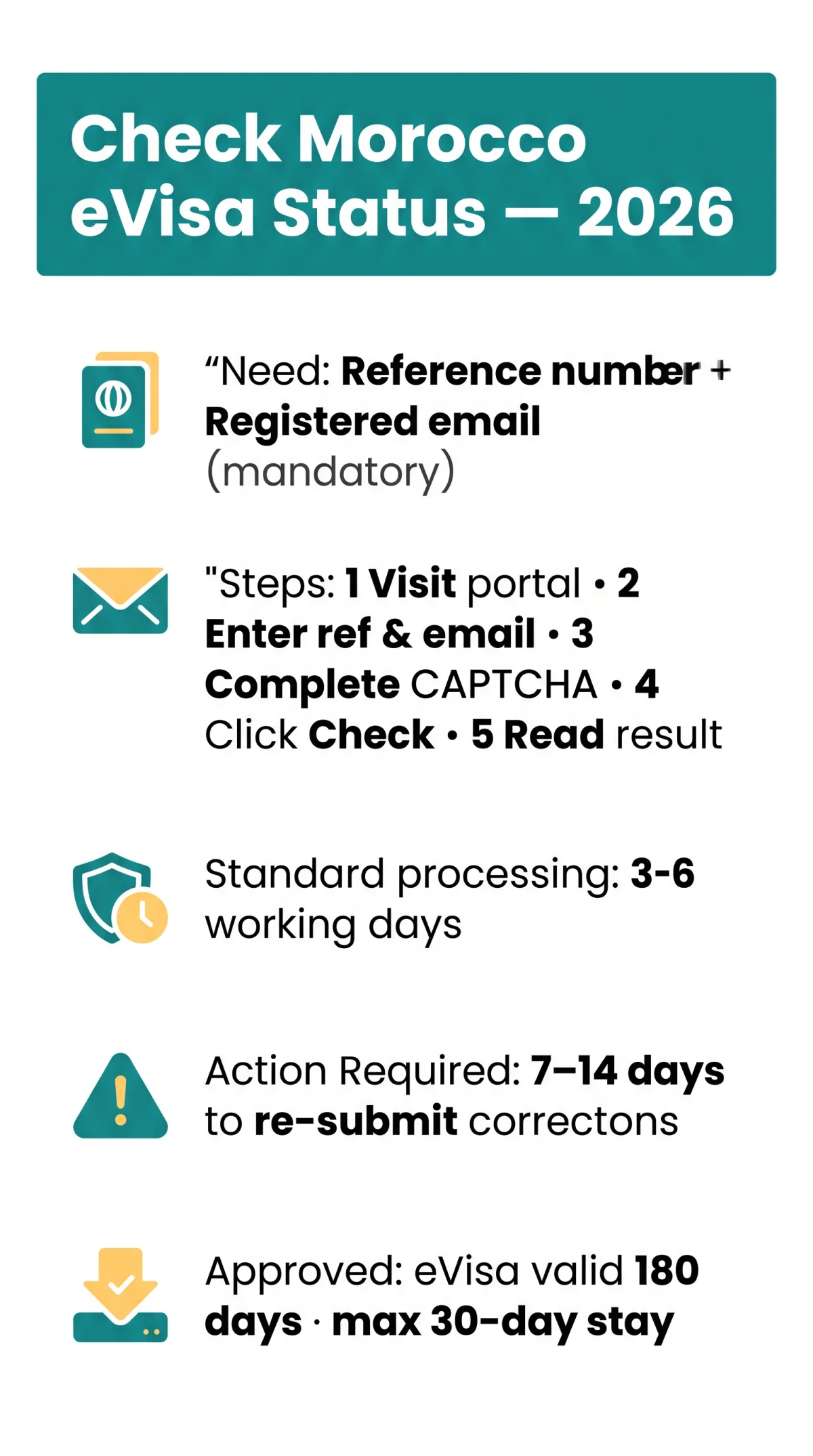
The Morocco eVisa status tracker at lets you monitor your application using your unique reference number and email. To check your Morocco eVisa application status, you need two mandatory inputs: your application reference number, issued in the confirmation email sent from immediately after submission, and the registered email address that must match the one used during your application. A mismatch will return an error. A passport number is optional but useful if you later need to contact consular support.
Have these items ready before checking your Morocco eVisa application status:
- Application reference number – located in your confirmation email from (also referred to as your file number on some portals)
- Registered email address – the exact email used during submission; any mismatch returns an error
- Passport number – optional, useful if contacting consular support
- Confirmation email – contains your reference number and submission date
How to Track Your Morocco eVisa Application Step by Step
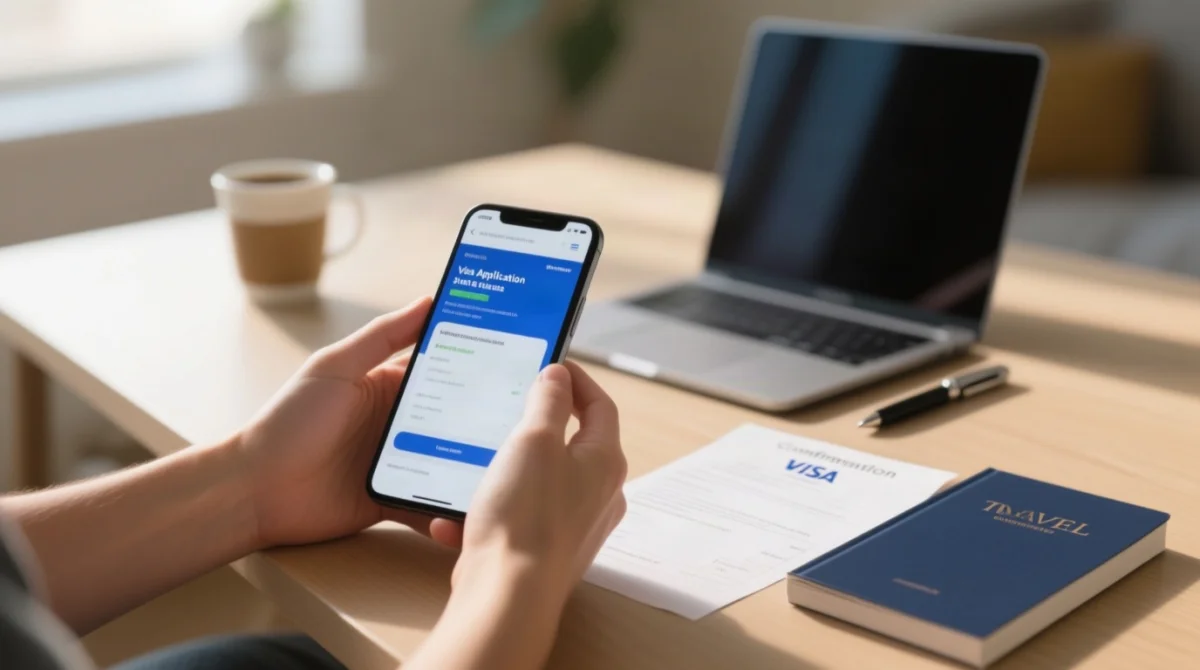
To track your Morocco eVisa, visit the portal, enter your reference number and email, complete the CAPTCHA, and read the result.
Navigate to the portal
Visit the Morocco eVisa application status portal operated by the Moroccan government. The page is available in English and loads identically on mobile and desktop browsers.
Enter your application reference number
Enter it exactly as it appears in the confirmation email. The field is case-sensitive; avoid trailing spaces or typos.
Enter the registered email address
Use the email address from your application. Tracking requires both fields to match submission records.
Complete the CAPTCHA verification
Confirm you are a human user, not an automated bot polling the tracker.
Click the “Check Status” or “Track Application” button
Submit your enquiry to retrieve your current status.
Read and interpret the displayed status result
The portal shows your current label within seconds. The tracker refreshes every 24-48 hours, so checking more than once daily is unnecessary. For overnight processing updates, check mid-morning Moroccan time.
Understanding Your Morocco eVisa Application Status, Processing Times, and What Each Label Means
Morocco eVisa status labels include Application Received, Under Examination, Pending Verification, Action Required, Approved, and Refused. Standard processing takes 3-6 working days for the full cycle, with the actual review phase lasting 24-72 hours per the Ministry of Foreign Affairs . Rush processing takes 2-4 working days; Super Rush processing takes 1-2 working days. Factors that may extend processing include Moroccan public holidays, incomplete biometrics, and high-season surges.
| Status Label | What It Means | Expected Duration | Your Next Action |
|---|---|---|---|
| Application Received | Submission confirmed; payment processed. | First 24 hours | Wait for examination to begin. |
| Under Examination | Consular officers are reviewing documents and biometrics. | 24-72 hours (review phase) | No action needed; monitor tracker. |
| Pending Verification | Processing authority is cross-checking submitted documents or biometric data. | 1-2 days | No action required; normal intermediate stage. |
| Action Required | Documents need correction (blurry scan, wrong photo format). | 7-14 days correction window | Re-upload corrected files via the portal immediately. |
| Approved | eVisa issued; PDF sent to registered email. | Valid for 180 days from issue | Download, verify data, and print the eVisa. |
| Refused | Application denied; no eVisa issued. | Final | Review the reason; reapply with corrected information if eligible. |
If your Morocco eVisa application status remains unchanged beyond 6 working days without an “Action Required” flag, escalate through the portal’s contact form.
What Does “Action Required” Mean on Your Morocco eVisa Tracker?
“Action Required” means applicants must re-upload corrected documents within 7-14 days or risk automatic application termination. Common issues include blurry passport scans, wrong photo format (must be colour, plain white or light background, taken within the last 6 months), or expired passport uploads. Acceptable corrections include re-uploading a clearer scan or a new photo. Disqualifying errors include name mismatches between passport and application. Your Morocco eVisa application status reference number does not change after resubmission. Re-upload corrected files via the portal immediately to avoid termination.
After Approval – What to Do With Your Morocco eVisa
Download your approved Morocco eVisa PDF (valid for 180 days from issue, single entry, max 30-day stay) from the tracking dashboard or the approval email. After your Morocco eVisa application status shows “Approved,” complete these steps:
Download the approved eVisa PDF
Download from the dashboard or from the approval email sent by the portal.
Verify all personal data for accuracy
Check name, passport number, dates of birth, and travel dates.
Print a physical copy
The eVisa is digitally linked to your passport, but a printed copy is recommended for border control.
Check validity
180-day validity from issue date, single entry, maximum 30-day stay per visit.
Prepare your arrival-document pack
Accommodation proof (hotel reservation or invitation letter), financial evidence (at least €70 per day), original passport (minimum 6 months validity from planned entry date), printed eVisa, and original residence permit or multiple-entry visa if used during application.
If travelling to Western Sahara, check the latest UK Foreign, Commonwealth and Development Office (FCDO) guidance before departure, as the region remains disputed and access may require additional permits. If your Morocco eVisa application status shows “Refused,” review the stated reason and reapply with corrected information if eligible.
Morocco eVisa for UK Travellers in 2026
UK residents apply for a Morocco eVisa through the same online portal as all nationalities. UK citizens typically qualify for visa-free entry to Morocco for up to 90 days. Non-UK passport holders residing in the UK may apply via and, where a supporting document is required, can submit a UK Immigration Status Document as an alternative to a residence permit. Morocco eVisa application status tracking works identically for all nationalities in 2026. For UK-based consular enquiries, verify Moroccan Embassy London contact details via .
Troubleshooting Common Morocco eVisa Tracking Issues
Lost Your eVisa Reference Number? How to Recover It
A lost Morocco eVisa reference number can be recovered by searching the confirmation email from or contacting the Moroccan Embassy with passport details. Steps: 1) Check spam folder for emails from. 2) Search your inbox for that sender domain. 3) Use the portal’s “Forgot Reference Number” feature if available. 4) Contact the Moroccan Embassy with your passport number, full name, and approximate submission date. India-based applicants can reach the Embassy of Morocco in New Delhi at C-7/5, Vasant Vihar, New Delhi 110057, phone 011-4056-4253 / 011-4056-4257, email [email protected]. UK applicants should verify London embassy details via. Expected response time: 2-5 working days.
How to Contact Morocco eVisa Support When Your Status Is Stuck
For stuck Morocco eVisa application statuses beyond 6 working days without change, escalate via the portal’s “CONTACT US” form at , then the Moroccan Embassy in London (verify via ). Include your reference number, full name, passport number, and submission date in your enquiry.
“Reference Number Not Found” and Other Portal Errors
“Reference Number Not Found” errors on the Morocco eVisa portal are typically caused by typos, extra spaces, or using the wrong email address from submission. Clear your browser cache or try an incognito window before re-entering both fields. Whitelist the sender domain in your email client to avoid missing confirmation emails. Ensure you are using and not a third-party site, as using the wrong portal will return “No application found.”
Frequently Asked Questions About Tracking Your Morocco eVisa Application in 2026
Do I need my passport number to check my Morocco eVisa application status?
No. Only your reference number and email are required. Passport number is optional and only needed for consular support.
What is the difference between checking my status on the dashboard versus receiving an email update?
The dashboard shows current status, updated every 24-48 hours. Email notifications are sent only at major milestones such as approval or “Action Required.” Checking the dashboard is more reliable for tracking incremental progress of your Morocco eVisa application status.
Will I receive email notifications when my Morocco eVisa status changes?
Email notifications are sent at key stages such as approval or when documents are needed. SMS alerts are not available. Whitelist in your email client to avoid missing updates about your Morocco eVisa application status.
Can I track multiple family members’ applications at once?
Each applicant needs their own reference number and email combination. There is no batch-tracking feature. Keep all reference numbers organised in a shared document to monitor each family member’s Morocco eVisa application status individually.
What does “Pending Verification” mean on my Morocco eVisa tracker?
“Pending Verification” means the processing authority is cross-checking your submitted documents or biometric data. This is a normal intermediate stage; no action is required while this status is displayed on your Morocco eVisa application status tracker.
Can I download my approved eVisa directly from the tracking dashboard?
Yes. Once approved, the dashboard offers a direct PDF download. If unavailable, check your email for the approval notification. As a fallback, contact Moroccan eVisa support regarding your Morocco eVisa application status.
Can UK residents apply for a Morocco eVisa without a residence permit?
UK citizens typically qualify for visa-free entry for up to 90 days. Non-UK passport holders residing in the UK may use a UK Immigration Status Document as an alternative to a residence permit when checking their Morocco eVisa application status eligibility.
I am travelling to Western Sahara – is my Morocco eVisa valid there?
Morocco’s eVisa covers entry through Moroccan-controlled territories, but Western Sahara remains a disputed region. Check the latest UK FCDO guidance before travelling to southern Morocco to ensure your Morocco eVisa application status permits entry.